Turn text into infographics, without the design work
Paste your notes, an article or a PDF. AI structures it, draws the layout and hands you a PNG. $1.40 or less per infographic.
Make my first one free- 1 free infographic
- No card needed
- Then pay once, no subscription
28,308 infographics made by 14,000+ people · 4.6 on the App Store · 4.4 on Google Play
YOUR TEXT
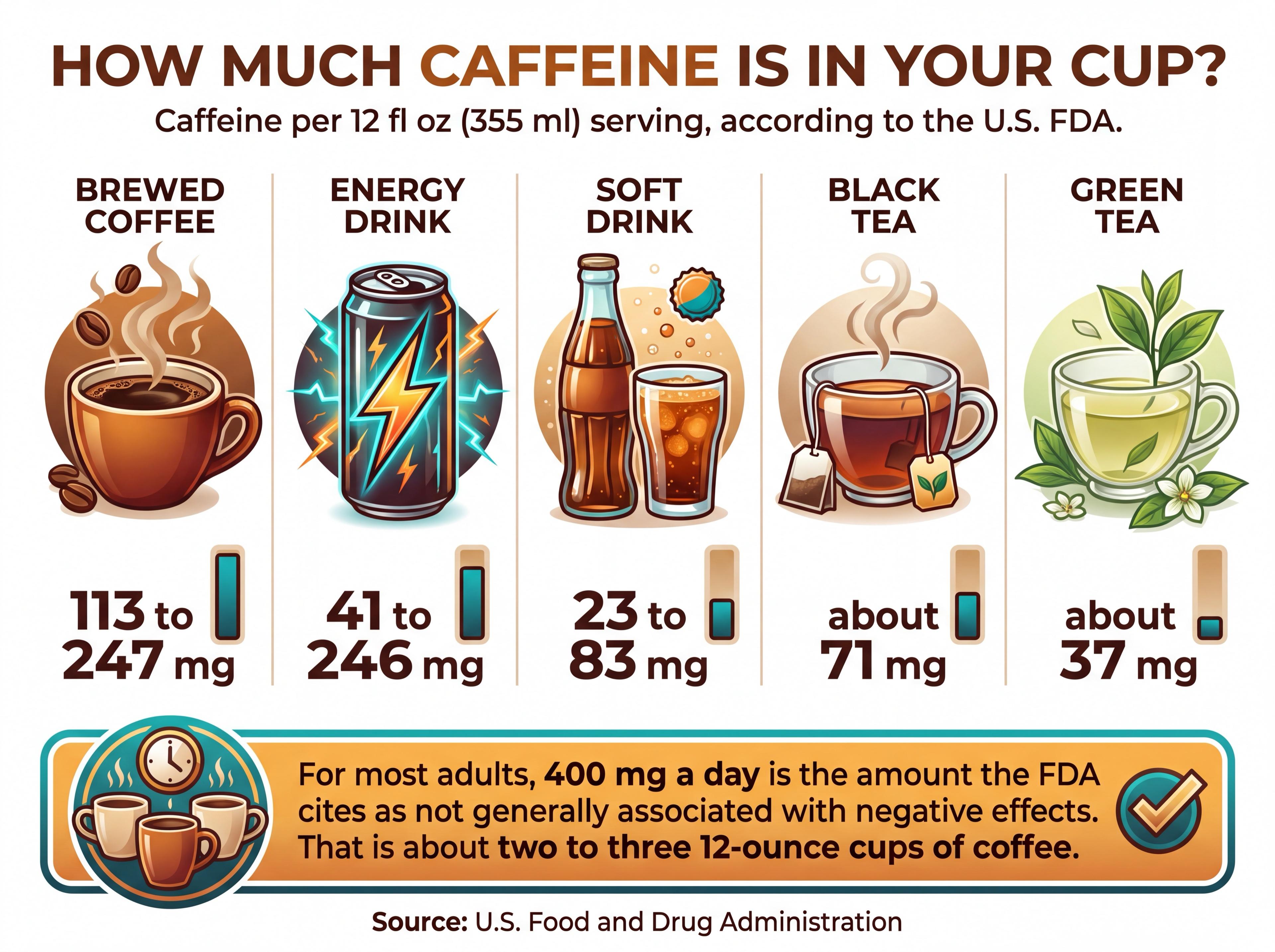
Caffeine per 12 oz serving, according to the FDA: brewed coffee has 113 to 247 mg, energy drinks 41 to 246 mg, soft drinks 23 to 83 mg, black tea about 71 mg and green tea about 37 mg. For most adults, 400 mg a day is not generally associated with negative effects...
Making one infographic by hand looks like this
Find a template that almost fits
+ Rewrite your text to fit its boxes
+ Hunt for icons that match
+ Nudge the alignment for the tenth time
+ Export, spot a typo, start over
= an afternoon gone
There is an easier way
Paste. Pick a style. Download.
Five different looks. Tap a style to see an example.
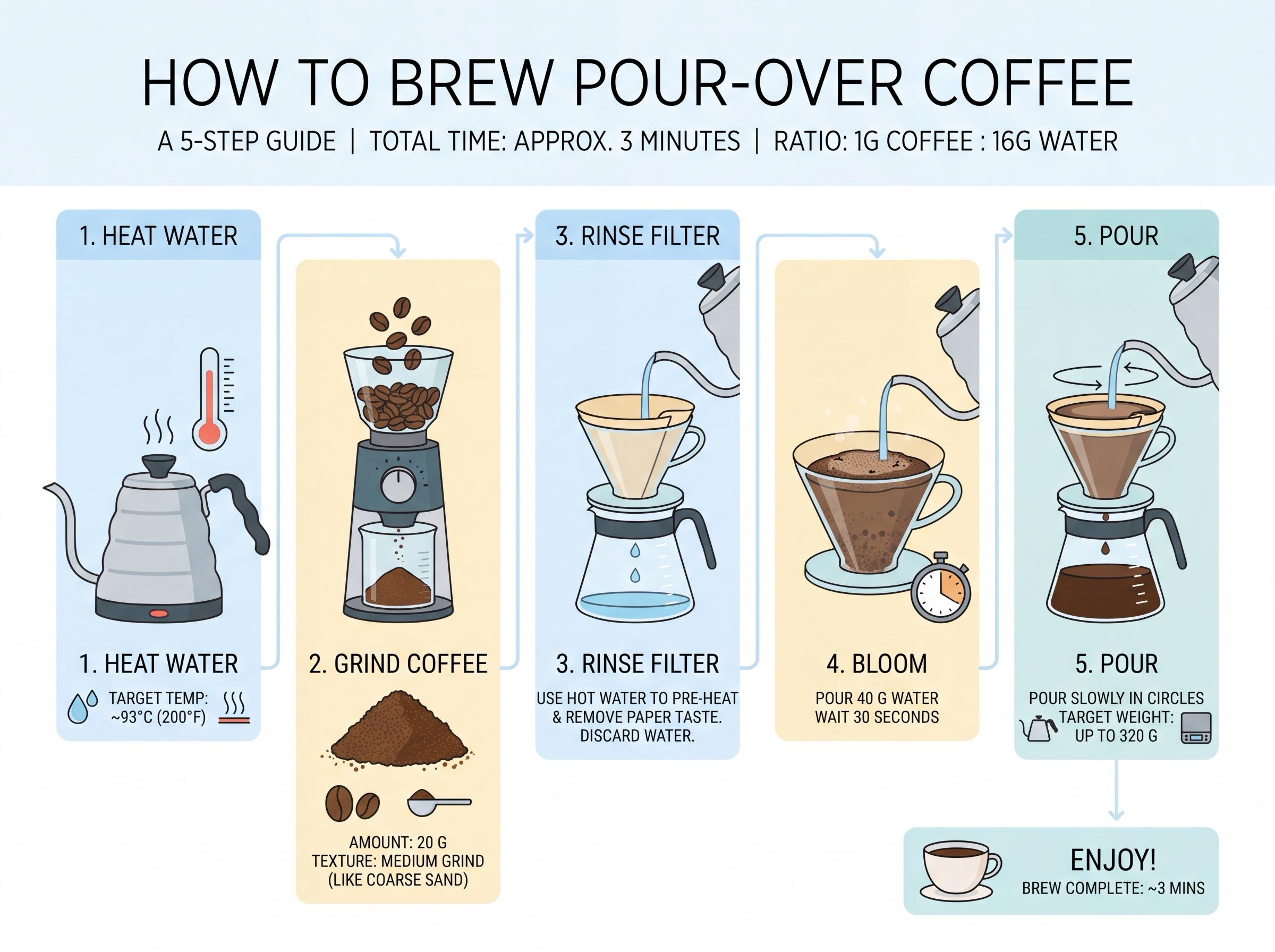
Modern
Clean panels, clear icons and a confident headline. The safe pick for blog posts and LinkedIn.
- Text or PDF as input
- 10 aspect ratios, from 1:1 to 9:16
- White, black, light gray or AI-picked background
- PNG download, ready to post
BUILT BY ONE INDEPENDENT DEVELOPER
Hey, I'm Ömer
I'm an indie developer. No team, no investors, no sales department. I design, build and support my apps myself.
TextToInfographic started as a mobile app. People have made 28,308 infographics with it on iOS and Android, and kept asking for a version they could use at their desk. This is it.
That is also why the pricing is simple: you buy a pack, you use it. No subscription to cancel. And when you email support, the message reaches me, not a ticket queue.
An infographic for the price of a coffee. Or less.
Your first infographic is free. After that, 1 credit = 1 infographic. Pay once, credits never expire.
All packs: 5 styles, text and PDF input, PNG downloads. Secure checkout with Polar after sign-in. Refund requests within 14 days. Purchase and refund terms
14,000+ people skipped the design work
4.6 on the App Store (136 ratings)
4.4 on Google Play (1,904 ratings)
“The platform is intuitive, powerful, and makes transforming ideas into clear visual stories incredibly easy. I genuinely love using it, and it has already become an essential tool in my workflow.”
“AI INFOGRAPHIC MAKER GENERATOR takes what required an expensive team of experienced designers and creates solid professional detailed infographics of just about any size in seconds. SECONDS!”
“Muy fácil de usar!”
“The app is very good.”
“amazing”
“excellent”
Reviews are from the iOS and Android apps, quoted as written. Short Google Play reviews are shown in Google's English translation.
Frequently asked questions
About the product, pricing and your downloads. For general questions about making infographics, see infographic questions, answered.
What is TextToInfographic?
TextToInfographic is an AI infographic maker. You paste text or upload a PDF, pick a visual style, background and aspect ratio, and it generates an infographic you download as a PNG. It runs in the browser and as an iOS and Android app.
Can I try it for free?
Yes. New web accounts get 1 free infographic, with no card needed. The free one has a small "Made with TextToInfographic" line at the bottom; paid infographics do not. After that, credit packs start at $6.99 USD for 5 infographics. One credit generates one infographic.
How much does one infographic cost?
Between $0.80 and $1.40, depending on the pack: 5 credits for $6.99, 15 for $18, 50 for $40 and 100 for $80.
Is it a subscription?
No. Web credit packs are one-time purchases. Nothing renews automatically and credits never expire.
What can I paste or upload?
Paste 50 to 10,000 characters of text or upload a PDF up to 10 MB. PDFs need extractable text, so scanned image-only PDFs may not work. You can review the extracted text before generating.
What styles and formats are available?
Five styles: Modern, Minimal, Colorful, Corporate and Cheatsheet. Ten aspect ratios, including 1:1 and 4:5 for Instagram, 9:16 for stories, 2:3 for Pinterest and 16:9 for slides. Backgrounds can be white, black, light gray or chosen by the AI.
What file do I get?
A PNG image in the aspect ratio you picked. It is a finished image, not an editable slide or vector file.
How is this different from Canva?
Canva is a design editor: you start from a template and arrange the layout yourself. TextToInfographic starts from your text and produces the finished layout for you. Use Canva when you want manual control and an editable file, and TextToInfographic when you already have the content and want the visual quickly.
Should I review the infographic before sharing it?
Yes. AI-generated text and visuals can contain mistakes. Check the facts, wording and numbers before you use the infographic in a post, presentation or lesson.
How do refunds work?
You can request a refund within 14 days of purchase. The Terms of Use describe the purchase policy and how to get in touch.
Who is behind TextToInfographic?
It is built and supported by Ömer, an independent developer. Support emails go straight to him at info@texttoinfographic.com.
Stop nudging text boxes. Paste and post.
Make my first one freeFirst one free · Then from $6.99 · No subscription