Transcript to infographic, the main points, on one page
Paste the transcript of a talk, a podcast, a lecture or a video. The main points are pulled out and drawn as an infographic, so people can get the idea without reading or watching the whole thing.
Make my first one free- 1 free infographic
- No card needed
- Then pay once, no subscription
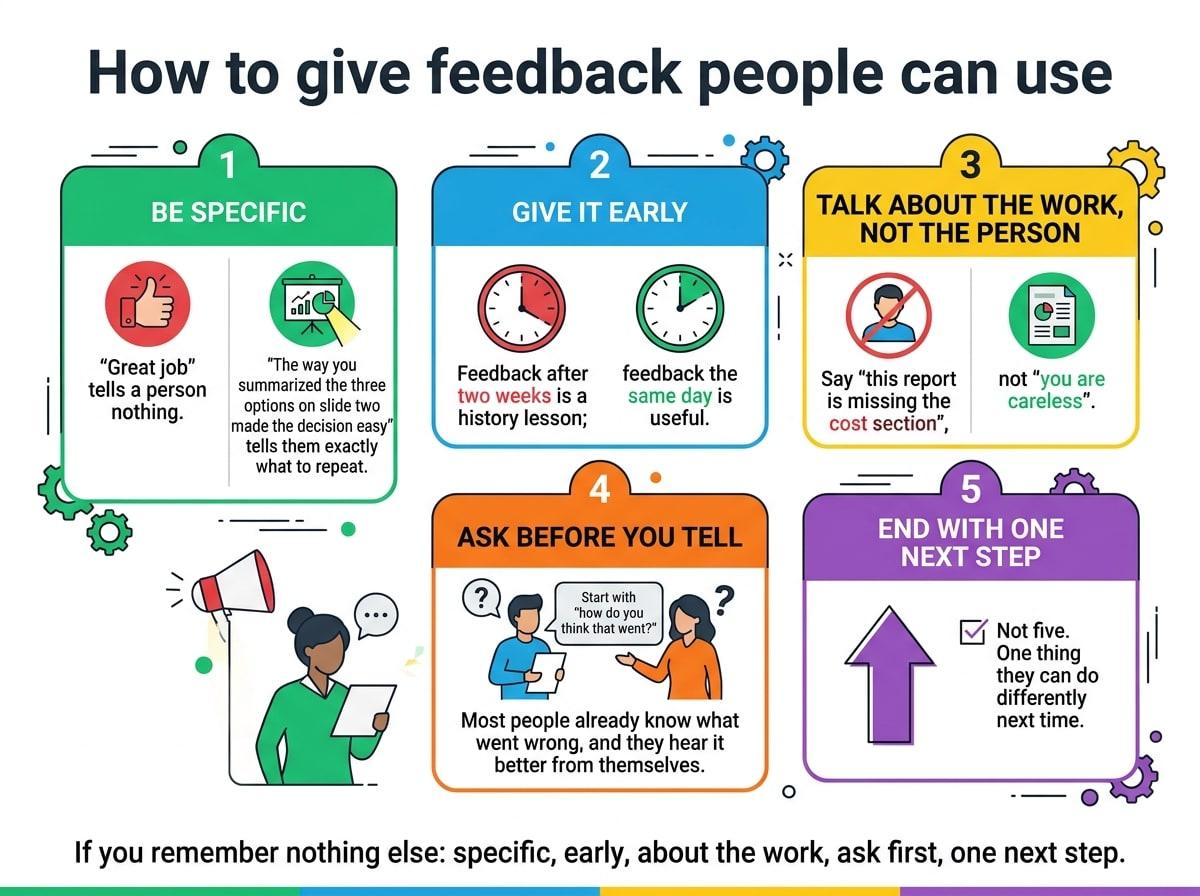
A REAL EXAMPLE: THE TEXT, AND WHAT CAME OUT
THE TRANSCRIPT THAT WAS PASTED
Transcript excerpt (sample): "How to give feedback people can use" ...so the first thing I tell new managers is: be specific. "Great job" tells a person nothing. "The way you summarized the three options on slide two made the decision easy" tells them exactly what to repeat. Second, give it early. Feedback after two weeks is a history lesson; feedback the same day is useful. Third, talk about the work, not the person. Say "this report is missing the cost section", not "you are careless". Fourth, ask before you tell. Start with "how do you think that went?" Most people already know what went wrong, and they hear it better from themselves. And fifth, end with one next step. Not five. One thing they can do differently next time. If you remember nothing else: specific, early, about the work, ask first, one next step.
How it works
- 1
Paste the transcript
Up to 10,000 characters at a time. For a long recording, paste one section, or paste a summary.
- 2
Choose the look
Pick a style and an aspect ratio. Use the extra instructions box to say what to focus on.
- 3
Download the PNG
Use it as a visual summary next to the recording, in show notes or in a post.
Getting a good result from a transcript
- Paste one topic at a time. A 60-minute recording covers several topics; one infographic per topic is easier to read.
- Remove filler first if you can: greetings, sponsor reads and side chatter add noise.
- Tell it the angle in extra instructions, for example "Five takeaways for new managers".
- For a YouTube video, copy the transcript from the video's "Show transcript" panel and paste it in.
What to know before you start
- It does not fetch transcripts from a link and does not transcribe audio. You paste the text.
- Text over about 2,000 characters is condensed to its key points first, so wording will be shortened.
- Quotes can be paraphrased. If an exact quote matters, check it against the transcript.
Questions about transcript to infographic
How do I turn a transcript into an infographic?
Copy the transcript, paste it into TextToInfographic, choose a style and generate. The tool condenses long text to its main points and draws them as one image.
Can I make an infographic from a YouTube video?
Yes, through its transcript. On YouTube, open the description, choose "Show transcript", copy the text and paste it in. TextToInfographic does not read the video link itself.
How long can the transcript be?
You can paste up to 10,000 characters at a time, roughly 10 to 12 minutes of speech. Longer recordings work better split by topic, with one infographic per section.
More ways to use it
Have the text ready?
Your first infographic is free, no card needed. After that, packs start at $6.99 for 5. No subscription.