Book summary infographic generator, the key ideas on one page
Paste your notes or your summary of a book. You get a one-page infographic of the big idea and the main points, for studying, for a book club or for a post.
Make my first one free- 1 free infographic
- No card needed
- Then pay once, no subscription
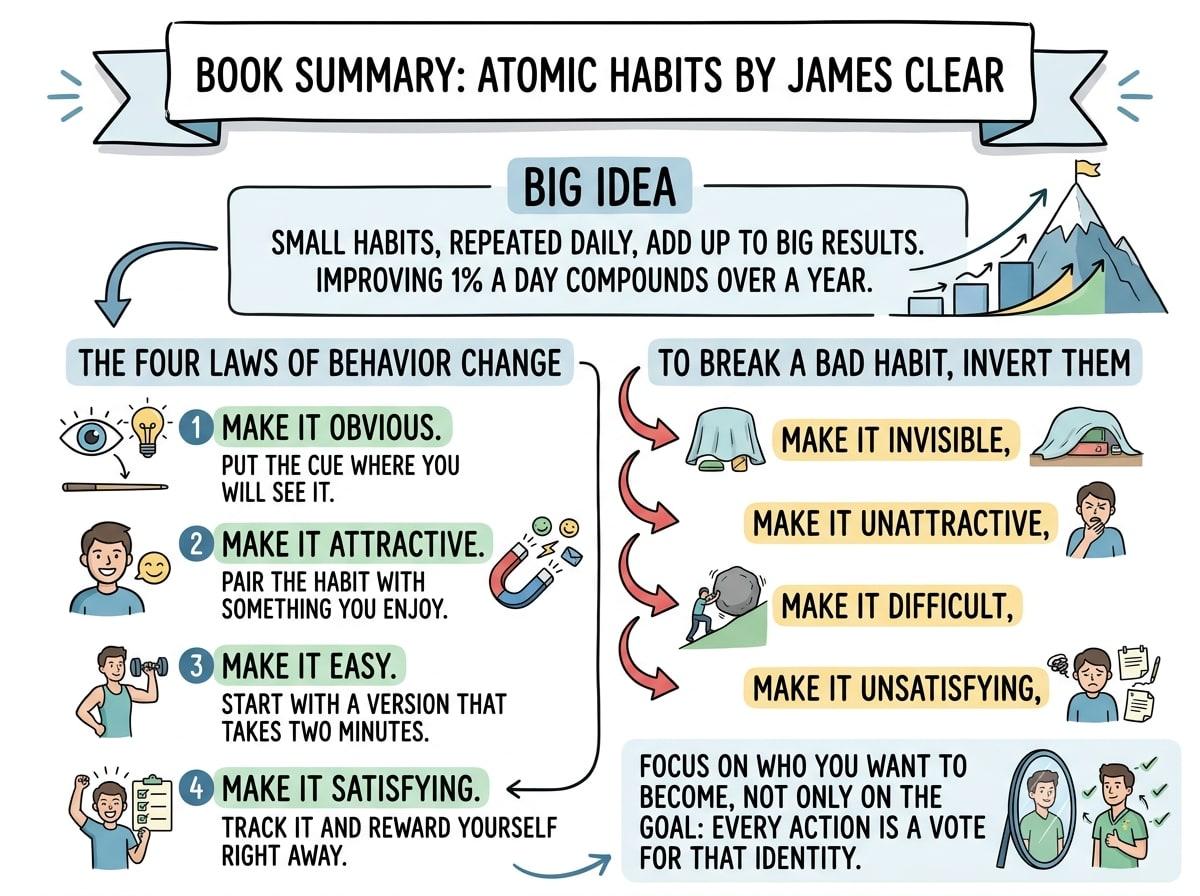
A REAL EXAMPLE: THE TEXT, AND WHAT CAME OUT
THE SUMMARY THAT WAS PASTED
Book summary: Atomic Habits by James Clear Big idea: small habits, repeated daily, add up to big results. Improving 1% a day compounds over a year. The four laws of behavior change: 1. Make it obvious. Put the cue where you will see it. 2. Make it attractive. Pair the habit with something you enjoy. 3. Make it easy. Start with a version that takes two minutes. 4. Make it satisfying. Track it and reward yourself right away. To break a bad habit, invert them: make it invisible, unattractive, difficult and unsatisfying. Focus on who you want to become, not only on the goal: every action is a vote for that identity.
How it works
- 1
Paste your summary
Your own notes: the big idea, the main points, a favorite takeaway. Not the text of the book.
- 2
Choose the look
Cheatsheet gives a hand-drawn notes feel. Pick 4:5 for Instagram or 2:3 for Pinterest.
- 3
Download the PNG
Keep it as a study sheet or share it with your reading group.
Summaries that make a good infographic
- Lead with the one big idea, then three to seven supporting points.
- Keep the author's own terms for frameworks, such as the names of the steps or laws.
- Add one concrete example per point if you have room. It gives the AI something to illustrate.
- For a long book, make one infographic per part or chapter.
What to know before you start
- It summarizes what you paste. It does not know the book and does not look it up.
- Paste your own notes, not long passages copied from the book, which are protected by copyright.
- If you give it only a title, the AI will fill the image from its general knowledge, which can be wrong.
Questions about book summary infographic
How do I make an infographic of a book summary?
Write the book's big idea and its main points in your own words, paste them into TextToInfographic, choose a style and generate. The Cheatsheet style is popular for book notes.
Can it summarize the book for me?
No. It works from the text you give it. Write or paste your own summary first. If your notes are long, they are condensed to the key points before the infographic is drawn.
Can I post book summary infographics on social media?
Yes, if the summary is your own words. Name the book and the author on the image, and do not copy long passages from the book itself.
More ways to use it
- Infographics for teachers
- Transcript to infographic
- PDF to infographic
- AI infographic generator
- All examples
Have the text ready?
Your first infographic is free, no card needed. After that, packs start at $6.99 for 5. No subscription.