AI infographic generator, for content you already have
Paste your notes, an article or a report, or upload a PDF. The AI picks a structure, draws the layout and gives you a finished PNG. No templates to fill in.
Make my first one free- 1 free infographic
- No card needed
- Then pay once, no subscription
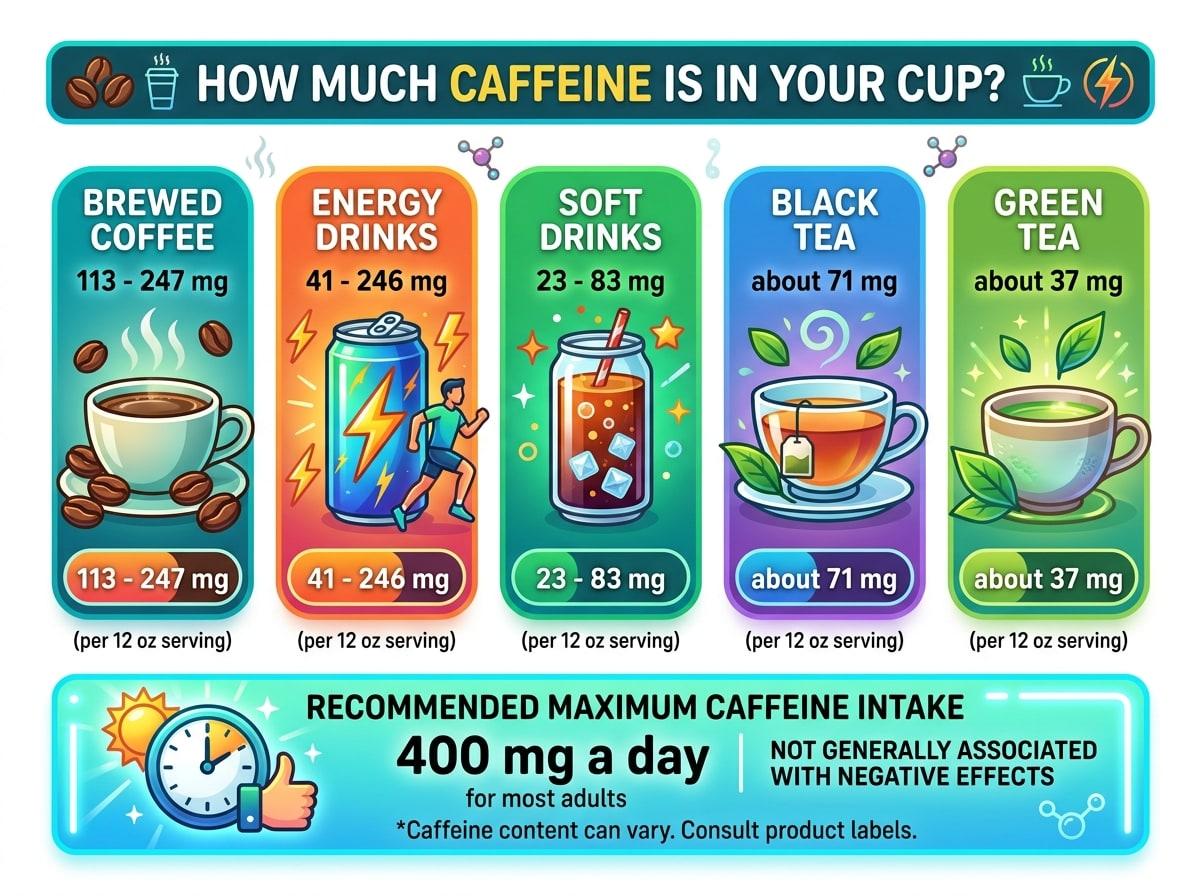
A REAL EXAMPLE: THE TEXT, AND WHAT CAME OUT
THE TEXT THAT WAS PASTED
How much caffeine is in your cup? Caffeine per 12 oz serving, according to the FDA: brewed coffee has 113 to 247 mg, energy drinks 41 to 246 mg, soft drinks 23 to 83 mg, black tea about 71 mg and green tea about 37 mg. For most adults, 400 mg a day is not generally associated with negative effects.
How it works
- 1
Add your content
Paste 50 to 10,000 characters of text, or upload a PDF up to 10 MB.
- 2
Choose the look
Pick one of 5 styles (Modern, Minimal, Colorful, Corporate, Cheatsheet), a background and one of 10 aspect ratios.
- 3
Download the PNG
The infographic is usually ready in under a minute. Download it, or generate another version.
What it does well
- Lists, steps, comparisons, timelines and short reports: content that already has a shape.
- Numbers. Give it the exact figures and it draws them as big numbers, bars and charts.
- Formats for each platform: 1:1 and 4:5 for Instagram, 9:16 for stories, 2:3 for Pinterest, 16:9 for slides.
- Speed. You get a finished image, not a template you still have to fill in.
What to know before you start
- The output is a PNG image. It is not an editable slide or vector file.
- AI can misspell a word or repeat a label. Read the result before you post it.
- Long text is condensed to its key points, so one infographic will not show every detail of a long document.
Questions about AI infographic generator
What is an AI infographic generator?
It is a tool that turns written content into a finished infographic image. Instead of choosing a template and arranging elements yourself, you give it text and it decides the structure, draws the icons and charts, and sets the type.
Is this AI infographic generator free?
Your first infographic is free and needs no card. It has a small "Made with TextToInfographic" line at the bottom. After that, credits are bought once: 5 for $6.99, 15 for $18, 50 for $40 or 100 for $80. There is no subscription.
How is it different from Canva, Piktochart or Venngage?
Those are design editors with AI features: you end up in an editor, adjusting a layout. TextToInfographic has no editor. You paste content and get a finished image, which is faster when you do not want to design anything, and less flexible when you want to move things around yourself.
What kind of content works best?
Content that already has a shape: a list of steps, a comparison, a set of statistics, a timeline or a short report. Long text is condensed to its key points first, so a focused page of notes usually beats a whole chapter.
More ways to use it
Have the text ready?
Your first infographic is free, no card needed. After that, packs start at $6.99 for 5. No subscription.